Preparing a lesson rarely ends when the school bell rings. Teachers still need to check notebooks, prepare worksheets, write learning objectives, plan classroom activities, and adjust explanations for students who learn at different speeds. By the time everything is ready for the next morning, an entire evening can disappear into paperwork.
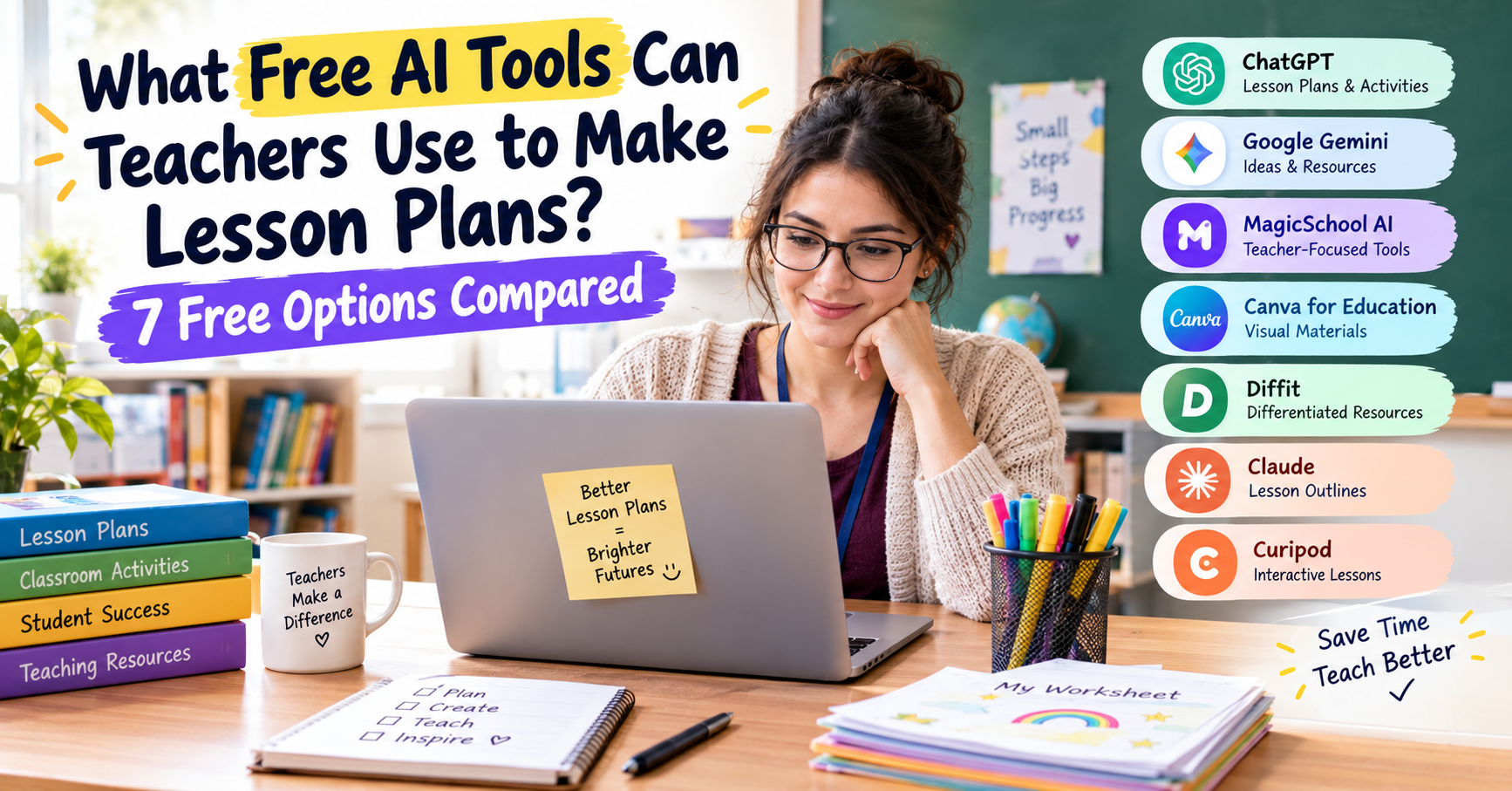
That is why what free ai tools can teachers use to make lesson plans is a useful question for educators working with limited time and budgets. AI tools can help draft lesson outlines, generate practice questions, simplify reading materials, and organize teaching resources without requiring an expensive subscription. However, not every tool offers the same features for free, and a generated lesson still needs a teacher’s review. This guide compares seven practical options, explains where each can help, and shares ready-to-use prompts for everyday lesson planning.
Quick Comparison: 7 Free AI Tools for Teachers
| Tool Name | Primary Function | Free Tier Limit | Best For |
|---|---|---|---|
| ChatGPT Free | Lesson plans, objectives, quizzes, activities | Usage limits apply | General lesson planning |
| Google Gemini | Lesson ideas, explanations, planning | Standard usage limits; features vary | Brainstorming and classroom resources |
| MagicSchool AI | Teacher-specific planning and assessments | Free plan with standard generation limits | Structured teaching tasks |
| Canva for Education | Presentations, posters, worksheets | Free for eligible K–12 educators; verify eligibility | Visual teaching resources |
| Diffit | Differentiated reading and worksheets | Free basic plan with restrictions | Mixed reading abilities |
| Claude Free | Drafting, rewriting, organizing lesson content | Free usage limits apply | Detailed lesson outlines |
| Curipod | Interactive classroom lessons and activities | Check current free-plan availability and feature limits | Student participation |
The first five are particularly relevant if your main goal is to reduce lesson preparation time. Claude is another general-purpose assistant worth comparing, while Curipod is worth exploring if you want students to participate in interactive lessons.
Before choosing a tool: Check its official pricing and features. A free account does not always include every feature, unlimited generations, or every export option. The best choice is the one that solves your specific classroom problem without creating extra work.
1. ChatGPT Free: A General-Purpose Lesson Planning Assistant
The real-world pain point
Imagine preparing a 40-minute science lesson for tomorrow morning. You need learning objectives, a simple introduction, an activity that students can complete with the materials available, questions to check understanding, and a short homework task.
Writing every section from scratch can be tiring, especially when several classes need different plans.
What it does and how to use it for free
ChatGPT can help teachers prepare lesson outlines, explain difficult topics, generate discussion questions, create practice exercises, and suggest formative assessments. It works best when you provide the class level, topic, duration, and learning goals instead of asking for a vague lesson plan.
For example, a teacher preparing a lesson on the water cycle could ask ChatGPT to organize the session into five stages:
- A five-minute warm-up question.
- A short explanation using familiar examples.
- A guided diagram activity.
- Independent practice with questions.
- An exit ticket to check understanding.
The teacher can then ask for simpler explanations, an additional activity, or a short quiz based on the same learning objectives.
A useful feature of this approach is that you can revise the draft through follow-up instructions. If the activity requires materials your school does not have, ask for an alternative using paper, pencils, and the classroom board.
The catch: Free limitations
Free access does not mean unlimited use. Usage limits and access to particular models or features may change. You may also need another application to format and print a finished worksheet.
Most importantly, ChatGPT can produce confident but incorrect explanations, poorly aligned objectives, or questions that are too easy or too difficult. Check factual claims, curriculum requirements, calculations, and the suitability of each activity before using the material with students.
Best practical use: Start with a lesson outline, then ask for a worksheet and assessment questions based on the same objectives. This keeps the materials connected instead of generating unrelated resources.
2. Google Gemini: Generate Lesson Ideas and Classroom Resources
The real-world pain point
Sometimes you know the topic but cannot think of an interesting way to introduce it. Explaining plants, fractions, or the water cycle for the third time can feel repetitive, particularly when students need different examples to understand the same idea.
You need fresh activities without spending an hour searching through teaching websites.
What it does and how to use it for free
Google Gemini offers a free entry point for brainstorming, drafting, explaining concepts, and organizing teaching ideas. Its exact usage limits and available features depend on the current plan and account.
Suppose you are preparing a primary-school lesson about plants. You could ask Gemini to suggest three ways to teach the topic:
- A classroom observation activity using a real plant.
- A drawing exercise that labels roots, stems, leaves, and flowers.
- A short question-and-answer game about what plants need to grow.
You can then request a version for students who struggle with reading and a more challenging activity for students who already understand the basic concepts.
Gemini can also help create analogies. For example, it might explain roots as the parts that take in water and help anchor a plant. You should check the wording to ensure that the explanation is scientifically accurate and appropriate for your grade level.
The catch: Free limitations
Free access has usage limits, and some models or advanced features may require a paid plan. Results also need to be reviewed for accuracy and alignment with your syllabus.
Avoid entering identifiable student records, grades, medical information, or private family details into a personal AI account. Use fictional examples when asking for differentiated activities.
Best practical use: Use Gemini when you need alternative explanations, fresh examples, or several possible activities for a topic you already understand.
3. MagicSchool AI: Teacher-Focused Planning Tools
The real-world pain point
A teacher preparing a lesson for a mixed-ability class may need a standard activity, a simplified version, an extension task, a rubric, and questions for checking understanding. Preparing these separately can make one lesson feel like five different assignments.
What it does and how to use it for free
MagicSchool AI is designed around educational tasks rather than general conversation. Its official pricing page lists a free plan for individual teachers, with more than 80 teacher tools, alongside paid options with expanded usage and features.
A teacher could use the platform to draft a lesson plan, generate quiz questions, prepare rubric ideas, or develop activities for students working at different levels.
For example, suppose the class is learning how to write a descriptive paragraph. You could prepare a lesson with a model paragraph, a vocabulary activity, guided writing, independent practice, and a simple assessment rubric.
Next, request adjustments for students who need additional support, such as sentence starters or a word bank. For students who are ready for more challenge, ask for an extension involving sensory details and varied sentence structures.
Review each version to ensure the tasks remain connected to the same learning objective.
The catch: Free limitations
MagicSchool’s free plan has standard generation limits. The paid Plus plan offers expanded usage and additional features, while school or district plans include organizational capabilities.
Do not assume that every tool has unlimited output history, editing, or access to student-facing features. Check the current plan before building a regular workflow around a particular feature.
Best practical use: Try MagicSchool when you regularly need structured teacher resources, including objectives, rubrics, lesson drafts, and assessment ideas.
4. Canva for Education: Create Worksheets and Visual Teaching Materials
The real-world pain point
A lesson outline may be excellent on paper, but a worksheet full of dense text can lose students’ attention. Younger learners often benefit from clear headings, diagrams, visual examples, and instructions that are easy to follow.
Creating a polished worksheet or presentation from scratch takes additional time.
What it does and how to use it for free
Canva provides design tools and templates for presentations, educational posters, activity cards, and worksheets. Canva for Education is available free to eligible K–12 teachers and qualifying educational institutions, subject to its eligibility requirements.
A practical workflow is to write your lesson content first and then use Canva to organize it visually.
For a lesson on the solar system, for example, you could prepare:
- A presentation introducing the planets.
- A printable worksheet matching planet names with descriptions.
- A classroom poster summarizing the order of the planets.
- Activity cards with questions for small groups.
You can also explore the platform’s AI-assisted design and writing features where available. Start with a simple template, replace sample content with verified information, and make sure text is large enough to read from the back of the classroom.
The catch: Free limitations
Canva for Education is not automatically available to every person who wants to make educational resources. Eligibility depends on your role and institution. Some assets, features, or AI capabilities may have separate restrictions.
Check whether you qualify before assuming that an educational account will unlock every premium feature. Always proofread text inside generated designs, because a visually attractive worksheet can still contain a spelling error or an incorrect answer.
Best practical use: Use Canva after you have finalized your lesson content and want to turn it into readable, reusable classroom materials.
5. Diffit: Adapt Lessons for Different Reading Levels
The real-world pain point
You may be teaching the same topic to students with very different reading abilities. One student can work independently with a long passage, while another needs shorter sentences and vocabulary explained in simpler terms.
Giving every student exactly the same text may make the lesson unnecessarily difficult for some and insufficiently challenging for others.
What it does and how to use it for free
Diffit focuses on differentiated learning materials. Its free basic plan supports the creation and adaptation of classroom resources, with restrictions compared with its school plans. The official site describes options for adapting content, editing resources, and downloading or printing materials.
For example, if you are teaching environmental conservation, you could use Diffit to prepare reading material and comprehension questions at suitable levels for different groups.
A practical sequence might look like this:
- Choose a topic and the intended grade or reading level.
- Generate or adapt a passage.
- Review the key facts and vocabulary.
- Check the comprehension questions against the learning objective.
- Print the material or transfer it into your preferred classroom workflow, depending on the available export features.
Differentiation should not mean lowering expectations for certain students. The goal is to make the content accessible while preserving the important ideas everyone is expected to learn.
The catch: Free limitations
Diffit’s free version has limited access compared with its paid school offering. Its pricing information identifies restrictions such as a limited history of previously created resources, while expanded export and alignment features may be available through school plans.
Reading-level labels are not a guarantee that every student will understand a passage. Review sentence complexity, cultural references, vocabulary, and factual details. Adjust the content when necessary.
Best practical use: Choose Diffit when adapting reading passages and comprehension activities is a recurring part of your lesson planning.
6. Claude Free: Organize Detailed Lesson Outlines
The real-world pain point
Sometimes a lesson has too many moving parts. You have a textbook chapter, several learning objectives, a classroom activity, and a short assessment, but the sequence feels disorganized. Students may finish one task early while others are still trying to understand the instructions.
You need to turn scattered notes into a clear teaching sequence.
What it does and how to use it for free
Claude is a general-purpose AI assistant that can help draft, rewrite, summarize, and organize teaching materials. Its free access and usage limits should be checked on the official website before regular use.
You can provide your lesson notes and ask Claude to arrange them into a logical sequence with estimated timings, teacher instructions, student tasks, and assessment questions.
For example, a history teacher preparing a lesson on an ancient civilization could request:
- A short introductory question.
- A chronological outline of the key events.
- A source-analysis activity.
- Discussion questions for pairs.
- A short written assessment.
You can then ask the assistant to simplify the instructions or remove activities that do not fit the available class time.
The catch: Free limitations
Free usage is limited and may vary according to demand, the model, and the length of your conversation. Claude can also produce incorrect historical claims or oversimplify complicated topics.
Review dates, names, sources, and interpretations before using the material. Avoid sharing confidential school documents or identifiable student information without appropriate authorization.
Best practical use: Use Claude to organize lengthy notes and improve the flow of a lesson you have already planned.
7. Curipod: Make Lessons More Interactive
The real-world pain point
A lesson can be perfectly organized and still struggle to hold students’ attention. You explain a topic, ask whether everyone understands, and receive a room full of quiet faces. You cannot easily tell who understands the material and who needs another example.
What it does and how to use it
Curipod is an educational platform to investigate if you want to build more interactive classroom lessons. Depending on its current features and plan, it may help teachers develop presentations and student participation activities.
For example, a teacher introducing fractions could organize a lesson around a question, a visual explanation, a short practice task, and a reflection activity.
Instead of asking only, “Does everyone understand fractions?” the teacher could use an appropriate interactive question to check whether students can identify one-half, one-third, or one-quarter.
This approach can reveal misconceptions before moving to the next topic. It also gives students more opportunities to respond rather than simply copy notes.
The catch: Free limitations
Do not assume that every interactive feature, student response option, or presentation format is available without payment. Verify the current free-plan terms before planning an entire class around a feature.
Consider your classroom’s internet connection, available devices, student age, and school technology policies. An interactive tool should support the learning objective rather than become a distraction.
Best practical use: Explore Curipod when you want more participation, quick understanding checks, and interactive lesson activities.
8. Two Free AI Prompts Teachers Can Use to Create Lesson Plans Faster
Knowing which tools exist is useful, but the quality of the instructions you give them often makes a bigger difference. A vague prompt usually produces a generic lesson. A specific prompt gives the AI enough context to create something you can actually review and use.
Prompt 1: The Complete Lesson Plan Generator
Copy the prompt below into ChatGPT, Gemini, Claude, or another suitable AI assistant.
Act as an experienced instructional designer who prepares practical, age-appropriate lesson plans. Create a detailed lesson plan using the following information.
- Grade or class level: [GRADE]
- Subject: [SUBJECT]
- Lesson topic: [TOPIC]
- Lesson duration: [MINUTES]
- Curriculum or learning standard: [STANDARD OR CURRICULUM]
- Students’ prior knowledge: [WHAT STUDENTS ALREADY KNOW]
- Available classroom materials: [MATERIALS]
- Main learning goals: [LEARNING GOALS]
- Different learning needs: [SUPPORT REQUIRED AND EXTENSION NEEDS]
- Assessment method: [QUIZ, OBSERVATION, WORKSHEET OR OTHER]
Organize the lesson into these sections:
- Three measurable learning objectives.
- A short warm-up activity that connects with students’ prior knowledge.
- A step-by-step teaching sequence with realistic timings.
- A clear explanation of the main concept with an age-appropriate example.
- Guided practice with teacher instructions.
- Independent practice for students.
- A differentiated activity for students who need extra support and an extension activity for students ready for a challenge.
- Five formative assessment questions with expected answers.
- A list of required materials.
- A short homework or extension activity.
- A final checklist covering factual accuracy, curriculum alignment, accessibility, and whether the lesson fits the specified duration.
Use clear language appropriate for the grade level. Make activities realistic for the available materials and classroom conditions. Do not invent curriculum standards or assume resources are available when they have not been listed. Identify any assumptions that need teacher confirmation.
Present the result in a clean format that I can review and adapt before teaching.
How to get a better result: If the lesson is too long, ask the AI to prioritize the essential learning objectives and shorten the activities. If students need additional support, explain the particular skill they are struggling with rather than sharing their names or personal records.
Prompt 2: The Worksheet and Classroom Activity Creator
Use this prompt when you need practice material for the next lesson.
Act as an experienced classroom teacher and worksheet designer. Create a classroom-ready worksheet based on the following details.
- Grade level: [GRADE]
- Subject: [SUBJECT]
- Topic: [TOPIC]
- Intended reading ability: [READING LEVEL]
- Learning objective: [WHAT STUDENTS SHOULD LEARN]
- Number of questions: [NUMBER]
- Worksheet format: [MULTIPLE CHOICE, FILL IN THE BLANKS, SHORT ANSWERS, MATCHING OR MIXED]
- Difficulty: [EASY, MODERATE OR CHALLENGING]
- Answer key: [YES OR NO]
Worksheet requirements:
- Write a clear title and simple instructions.
- Begin with accessible questions and gradually increase the difficulty.
- Include a variety of question types where suitable.
- Keep every question connected to the stated learning objective.
- Use age-appropriate language and examples.
- Include enough space for students to write answers if the worksheet is intended for printing.
- Provide a separate answer key with brief explanations where helpful.
- Check that the questions have unambiguous answers and do not contain factual errors.
- Suggest one additional activity for students who finish early.
- Identify anything that needs teacher verification before classroom use.
Do not copy copyrighted textbook passages. Create original questions and examples. Do not request or include identifiable student information.
Format the output so I can copy it into a document editor and make final adjustments before printing.
These prompts can be reused across subjects. Change the grade, topic, objectives, and available materials each time, and review the resulting content before distributing it.
9. How to Choose the Right Free AI Tool for Your Classroom
You do not need seven separate accounts to make lesson planning easier. Start by identifying the task that consumes the most time.

For writing a lesson plan from scratch
Try ChatGPT or Gemini first. Both can help you build an outline and refine it through follow-up instructions.

For differentiated worksheets
Start with Diffit when reading-level adaptation is your main concern. MagicSchool is another option for broader teacher-focused planning tasks.

For visual teaching materials
Try Canva for Education if you meet the eligibility requirements. It can help turn approved lesson content into presentations, posters, and worksheets.

For student participation
Explore Curipod if interactive presentations and response activities suit your classroom setup.
A simple test is to take one lesson you already know well and prepare a draft with a free tool. Compare the time you spend editing the draft with the time you would normally spend planning from scratch. Check accuracy, classroom suitability, and whether the result genuinely saves effort.
If you still need to rewrite nearly everything, try a more specific prompt before switching platforms.
10. Responsible AI Use in Lesson Planning
Free AI tools for teachers can save preparation time, but teachers remain responsible for what reaches the classroom.
Keep these safeguards in mind:
- Check the facts. Verify scientific explanations, historical details, calculations, answer keys, and other subject-specific content.
- Follow your curriculum. An attractive activity is not useful if it misses the required learning objective.
- Protect student privacy. Avoid names, grades, identifiable assignments, medical details, and other sensitive information in prompts unless the tool and your school’s policies explicitly permit the intended use.
- Review age suitability. Check vocabulary, reading difficulty, examples, and developmental appropriateness.
- Respect copyright. Use original materials or resources you are authorized to adapt. Do not ask AI to reproduce entire copyrighted textbook chapters.
- Keep teaching judgment central. AI cannot automatically understand your students’ classroom behavior, emotional needs, or the reasons a particular explanation may not work.
For younger learners, particularly kindergarten students, generated activities should be checked for safety, age suitability, and opportunities for hands-on learning. A digital worksheet should not automatically replace play, conversation, drawing, movement, or real-world exploration.
Frequently Asked Questions About Free AI Lesson Planning Tools
What free AI tools can teachers use to make lesson plans?
Teachers can begin with ChatGPT Free and Google Gemini for general lesson planning. MagicSchool AI offers teacher-focused planning tools, Canva for Education supports visual materials for eligible teachers, and Diffit helps prepare differentiated learning resources.
Claude and Curipod are additional options to investigate. Free-plan limits and features vary, so check the official terms before relying on a particular tool.
Can teachers use AI to create lesson plans for kindergarten and primary school?
Yes. AI can suggest storytelling activities, counting games, simple science experiments, phonics practice, drawing tasks, and short assessments.
For kindergarten, request short activities with simple instructions and opportunities for movement and hands-on exploration.
For primary grades, specify the expected reading level, lesson duration, and learning objectives. Teachers should review every activity for safety, accuracy, and suitability.
Are free AI lesson plan generators safe for teachers to use?
They can be useful when used responsibly, but safety depends on the service, its data practices, the account being used, and your school’s policies.
Review the privacy terms, follow school-approved technology rules, and avoid uploading identifiable student information. Always verify AI-generated content before using it in class.
Conclusion: Spend Less Time Planning and More Time Teaching
The best free AI tools for teachers are not necessarily the ones with the longest feature lists. They are the ones that help you finish a specific task with less effort while keeping the quality of your teaching intact.
ChatGPT and Gemini can help you draft lessons and activities. MagicSchool can support structured teaching tasks, Canva can help with visual resources, and Diffit can assist with differentiated reading materials. Claude and Curipod offer additional approaches to organizing content and engaging students.
Start with one tool and one real lesson. Review the result, correct any mistakes, and see whether the workflow saves time. You do not need to automate every part of teaching to benefit from AI.
A well-prepared lesson still depends on a teacher who understands the subject, knows the students, and can adjust when the classroom takes an unexpected turn. AI should help with repetitive preparation, not replace that professional judgment.
What takes up the most time in your lesson planning: creating worksheets, finding classroom activities, adapting material for different learning levels, or preparing assessments? Leave a comment and share your biggest challenge.