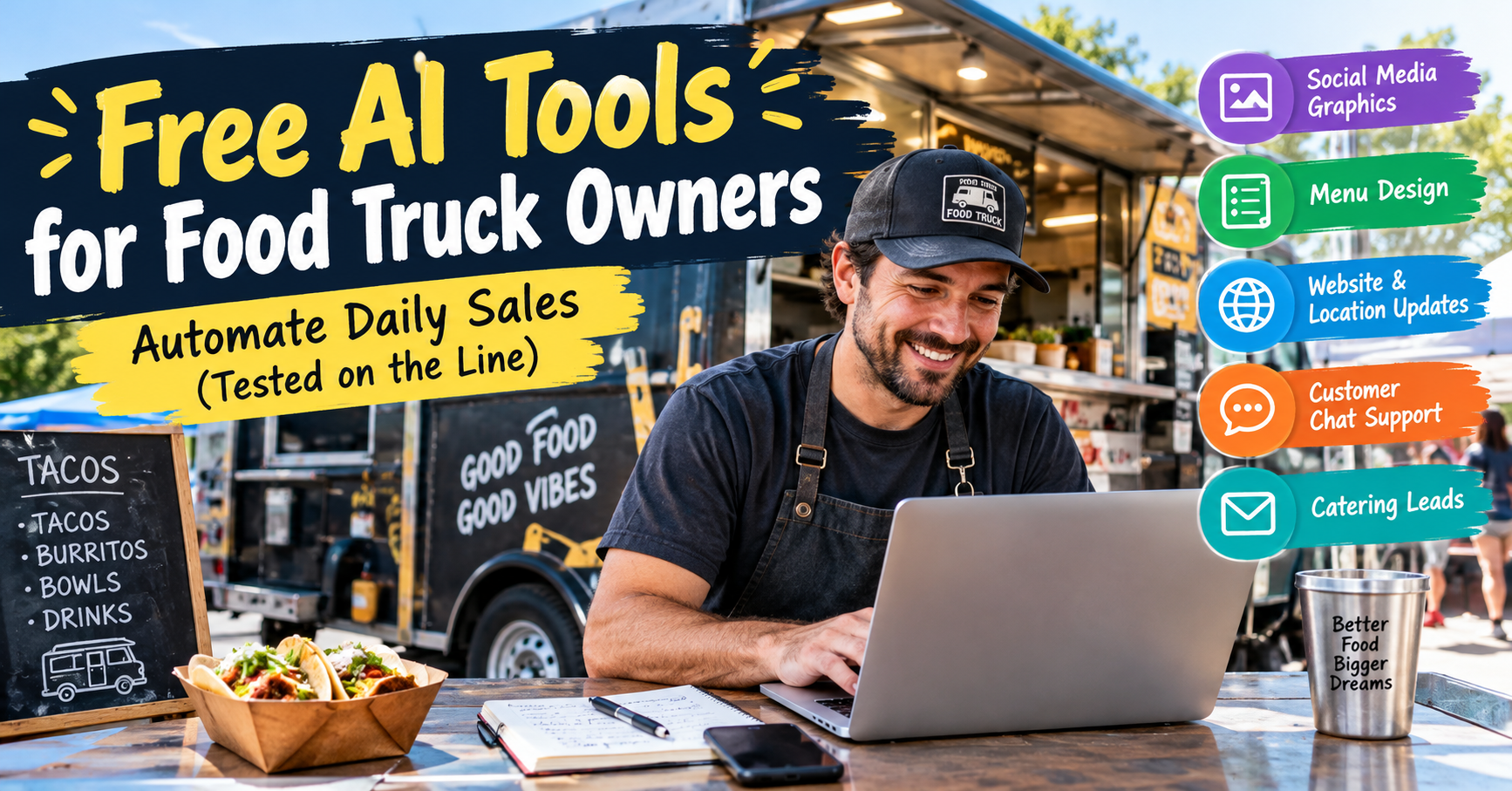
Running a food truck sounds exciting until you finish prepping onions, loading the coolers, driving across town, serving a lunch rush, and scrubbing a greasy flat-top at the end of the day. Then you remember your Instagram post is still unfinished, tomorrow’s location hasn’t been announced, and a potential catering customer is waiting for a reply.
I’ve learned that food truck marketing often gets pushed aside for a simple reason: there aren’t enough hours left in the day. You need to cook good food, keep customers moving, and make enough money to cover fuel, ingredients, permits, and repairs.
That’s why free AI tools for food truck owners are worth exploring. I focused on tools that can help with social posts, menu updates, customer questions, and website basics without requiring an upfront marketing budget. The goal is practical: get more time back without adding another expensive subscription to your monthly bills. Below, I’ll explain what each tool can do, how a mobile food vendor might use it, and where free plans may fall short.
| Tool Name | Primary Function | Free Tier Limit | Best For |
|---|---|---|---|
| ZSky AI | Food truck graphics and promotional concepts | Confirm current free credits, export options, and usage terms | Social promotions and event banners |
| Kodo AI | Menu design and layout | Confirm free exports and design limits | Quick menu changes |
| Butternut AI | AI website creation | Check current publishing, hosting, and editing limits | A basic website and catering inquiries |
| Deelo AI | Customer-facing chat assistance | Verify availability, integrations, and message limits | Common customer questions |
| ChatGPT / Gemini | Writing, planning, and brainstorming | Free usage limits may apply | Location updates, promotions, and sales emails |
Important note: AI products and their pricing can change. Treat the tools above as options to investigate, not as a guarantee that every named product currently offers every feature for free. Verify the official product page, free-plan terms, and commercial-use permissions before relying on a feature for your business.
1. ZSky AI: Create Food Truck Promotions Without Hiring a Designer
The real-world problem
Picture this: it’s 10:45 a.m., your lunch service starts in fifteen minutes, and a nearby office has invited you to serve food at its Friday event. You need a promotional graphic showing your truck, the event time, and your best-selling dish. Paying a designer for every small announcement isn’t realistic when you’re managing food costs and fuel.
This is where an AI design tool can help, provided its available features match what you need.
What it does and how to use it for free
ZSky AI is worth investigating for food truck design concepts and promotional graphics. If its current plan supports your intended image-generation workflow, you could use it to develop ideas for:
- Instagram and Facebook promotional images.
- Event banners for food festivals and brewery pop-ups.
- Seasonal specials, such as loaded fries or barbecue combo deals.
- Truck-wrap concepts to share with a professional sign maker.
- Promotional artwork for catering packages.
Start with a clear description of your truck, brand colors, food, and promotion. For example, a taco truck might request a bold red-and-yellow concept featuring three tacos, a lunchtime offer, and a clean space for the truck’s location and serving hours.
Always check generated text carefully. Image generators can misspell prices, invent lettering, or distort a logo. A safer workflow is to generate the background and food illustration first, then add the final wording using a conventional design editor.
The catch: Free limitations
Do not assume unlimited image generations, high-resolution downloads, transparent backgrounds, or commercial-use rights. Check the actual plan before investing time in a design. AI-generated food can also look different from the meals you serve, so use these graphics for general promotions rather than presenting invented dishes as actual menu items.
2. Kodo AI: Make Menu Updates Less Painful
The real-world problem
You have a chalkboard menu with eight items, but the chicken supplier is late and you’re running low on one sauce. Customers are already asking about today’s specials. Rewriting a printed menu or paying for another design every time an ingredient runs out wastes time.
For food truck business operations, a menu needs to be easy to update, readable from a queue, and accurate throughout service.
What it does and how to use it for free
Kodo AI is a tool to investigate for AI-assisted menu creation and layout. If its current features allow you to turn text into a menu design, use it to prepare a reusable template for your truck.
Start with a plain-text list containing:
- Dish names and current prices.
- Short ingredient descriptions.
- Vegetarian, vegan, or other relevant dietary labels.
- Available add-ons and combo options.
- A clearly marked section for daily specials.
For example, you could enter a menu with pulled-pork sandwiches, fries, coleslaw, drinks, and a limited-time lunch combo. Once the layout is ready, keep a master copy and change only the items or prices that actually need updating.
A useful tip from the service side: keep descriptions short. Someone standing three people back in a lunch line should be able to understand the offer without reading a paragraph.
The catch: Free limitations
Check whether the free plan permits downloading or printing the finished design. Some design services restrict export formats, watermark-free downloads, saved templates, or high-resolution files. If Kodo AI doesn’t provide the export you need, a free general-purpose design editor and a simple saved menu template may be more dependable.
Whatever tool you use, verify prices, ingredient availability, and allergen information yourself before displaying the menu.
3. Butternut AI: Build a Simple Website for Hungry Customers
The real-world problem
A customer sees your truck at a weekend market and wants to book you for a birthday party. They search for your business later but find an old social media post with last month’s location. There’s no catering form, no clear menu, and no easy way to contact you.
You’ve lost a potential sale because useful information wasn’t easy to find.
What it does and how to use it for free
Butternut AI is worth evaluating if you want an AI-assisted website builder. The objective isn’t to create a complicated online store. It’s to give customers one dependable page with the information they need before visiting or booking your truck.
A useful food truck website should include:
- Your name, logo, and a short introduction.
- A current menu with prices.
- Today’s location and serving hours.
- A phone number or messaging link.
- A catering inquiry form.
- Clear information about common allergens.
- Links to your social media profiles.
When building the site, request a mobile-first layout. Most customers looking for lunch are using their phones, often while walking, driving as passengers, or standing outside an office. They need to find your location and menu quickly.
For daily location updates, establish one routine: update the website’s location section before announcing the same information on social media. This reduces the chance that your website says one thing while your latest post says another.
A catering form can ask for the event date, estimated guest count, venue, preferred menu, and contact details. That gives you enough information to qualify an inquiry before spending time on a phone call.
The catch: Free limitations
A free website builder may restrict custom domains, hosting, page counts, form submissions, integrations, or publishing options. You may need a paid plan to connect a professional domain or remove platform branding.
Also, don’t assume an AI builder automatically creates a live location tracker. Unless a suitable map or tracking integration is actually available and configured, you will still need to update your location manually. For a small truck, a clearly maintained location page is often sufficient.
4. Deelo AI: Answer Customer Questions While You Cook
The real-world problem
It’s 12:20 p.m. The generator is humming, tickets are piling up, and you’re trying to keep the fryer moving. Meanwhile, your phone lights up with messages asking whether you’re still parked outside the brewery, whether the pulled-pork sandwich contains dairy, and whether you cater office lunches.
Each message takes your attention away from the food and the customers standing right in front of you.
What it does and how to use it for free
Deelo AI is worth checking for customer-facing chat assistance, provided its current offering supports the channels and integrations your business uses.
A well-configured assistant could help handle routine questions about:
- Menu items and published prices.
- Regular operating hours and announced locations.
- Catering availability and booking procedures.
- Accepted payment methods.
- General ingredient information.
- Where customers can find the latest menu.
Prepare a short, accurate knowledge base before activating any automated replies. Include your current menu, business hours, service area, contact details, and catering procedure.
For example, a customer asking, “Can you cater lunch for 60 people next Thursday?” should receive a helpful response explaining how to submit an inquiry, not an invented quotation or a promise that your truck is available.
Allergy questions need extra care. An automated assistant should use only verified ingredient and allergen information. It must not guarantee that a dish is allergen-free or safe from cross-contact unless you can substantiate that claim. When the information is uncertain, it should direct the customer to speak with you.
The catch: Free limitations
Confirm whether Deelo AI currently offers a free plan, what messaging channels it supports, and whether integrations require a paid subscription. Chat limits, automated replies, website widgets, and business integrations can all affect the real cost.
You should also review the privacy implications before connecting customer messages or collecting personal details. Automation can answer routine questions, but it shouldn’t replace your judgment when someone asks about a serious allergy, a refund, or a special catering arrangement.
5. ChatGPT and Gemini: Your Daily Food Truck Marketing Assistant
The real-world problem
You’ve finished prep, checked the propane or generator setup, loaded the truck, and driven to your lunch spot. Now you need to announce the location, write a caption for today’s special, and contact a brewery about a weekend pop-up.
Writing three separate messages can eat into the time you need for preparation.
What they do and how to use them for free
Free versions of ChatGPT and Google Gemini can help draft marketing copy, organize your weekly content, and prepare outreach emails. They are especially useful when you already know the facts but struggle to turn them into concise, appealing messages.
Try using them for:
- Daily location updates for Instagram and Facebook.
- Captions promoting a special or limited-time combo.
- Weekly content calendars.
- Catering proposals and follow-up emails.
- Messages pitching local breweries, markets, and office parks.
- Responses to common customer questions.
- Ideas for promotions during slow periods.
The trick is to give the assistant real details. Instead of typing “Write an Instagram post for my food truck,” tell it where you’re parked, what you’re serving, when the kitchen closes, and what makes today’s offer worth trying.
For example, a burger truck might provide its actual location, serving hours, a double-smash burger special, and a valid promotional price. The tool can turn those details into a short caption that sounds friendly without inventing ingredients or making unsupported claims.
You can also prepare a week’s worth of draft captions in one sitting. Save them in a document, then update the location, availability, and prices before publishing each day.
The catch: Free limitations
Free plans may impose usage caps, restrict access to particular models or features, and change their limits over time. You may still need to schedule posts manually, and the assistant cannot confirm your live location, ingredient inventory, or current sales unless you provide that information through an appropriate workflow.
AI writing can also sound generic. Read every caption aloud before publishing. If it sounds like an advertisement written by someone who’s never worked a lunch rush, simplify it.
A Practical Daily Workflow: Save Time Without Overcomplicating Things
The purpose of free AI tools for food truck owners isn’t to introduce five new systems that demand constant attention. Start with one task you repeat every day, make it easier, and add another tool only when there’s a clear benefit.
Here’s a realistic routine you can adapt to your operation.
| When | Task | Suggested tool |
|---|---|---|
| Before opening | Draft the day’s location announcement | ChatGPT or Gemini |
| Before service | Check menu prices, availability, and wording | Kodo AI or a saved menu template |
| During a slow period | Prepare a promotion for the next service | ChatGPT, Gemini, or a design tool |
| After service | Review and respond to customer inquiries | Deelo AI, if suitable |
| Once a week | Review the website and catering leads | Butternut AI or your existing website |
Don’t automate a process before you understand it. If you frequently change locations, for example, decide where the official location information lives first. Otherwise, automation can spread outdated information faster than you could manually.
Prompt 1: The Rainy Day / Slow Shift Flash Promotion
Use this prompt with ChatGPT or Gemini when the weather is poor or sales are slower than expected.
Copy and customize this template:
“Act as a practical food truck marketing assistant. Write three short promotional captions for my food truck for a slow shift.
Business name: [FOOD TRUCK NAME]
Today’s confirmed location: [LOCATION]
Serving hours: [START TIME–END TIME]
Food special: [DISH NAME]
Regular price: [REGULAR PRICE]
Promotional price or offer: [VALID OFFER, OR WRITE ‘NO DISCOUNT’]
Reason for promotion: [RAINY WEATHER / QUIET LUNCH / EXTRA PREPARED STOCK]
Target customers: [OFFICE WORKERS / STUDENTS / LOCAL RESIDENTS]
Write one Instagram caption, one Facebook post, and one short message suitable for a customer WhatsApp group. Use a friendly, local tone. Mention the actual location and closing time. Create urgency without sounding desperate.
Do not invent discounts, stock availability, ingredients, customer reviews, or health claims. If no discount is provided, promote convenience, today’s special, or the food itself instead. Keep each version concise and include a natural call to action.”
Why this works: The prompt provides the details needed to produce useful copy while preventing the assistant from making up a deal. You can reuse the template throughout the season by changing only the details that matter.
One practical warning: don’t discount food automatically just because it’s raining. Calculate the ingredient cost, packaging, payment fees, and other variable expenses before offering a lower price. A busy shift with poor margins is not necessarily a successful shift.
Prompt 2: Cold Email Pitch to Local Breweries and Office Parks
Catering leads can be more valuable than a single walk-up sale because one booking may bring dozens of orders. The challenge is contacting the right people without sending the same lifeless email to every venue.
Copy and customize this template:
“Act as an experienced local food truck sales assistant. Write a short, professional but friendly cold email introducing my food truck to a local brewery or office park.
My business name: [FOOD TRUCK NAME]
Food specialty: [CUISINE OR SIGNATURE DISHES]
Service area: [CITY OR NEIGHBORHOODS]
Recipient business: [BREWERY OR OFFICE PARK NAME]
Reason I am contacting them: [WEEKEND POP-UP / EMPLOYEE LUNCH / PRIVATE EVENT / RECURRING FOOD SERVICE]
Available dates: [DATES OR DATE RANGE]
Relevant experience: [VERIFIED EXPERIENCE OR LEAVE OUT]
Website or menu link: [URL]
Contact details: [EMAIL OR PHONE]
Write a subject line and an email of approximately 120–160 words. Explain what kind of food we serve, why it could suit their customers or employees, and how they can inquire about availability. End with a simple question asking whether they accept food truck partners or vendor inquiries.
Do not invent previous clients, event attendance, sales figures, awards, insurance coverage, or permits. Avoid exaggerated marketing language. Keep the email personal enough that I can customize one sentence for each recipient.”
A small sales tip: Send fewer, better-targeted emails instead of blasting hundreds of businesses with the same message. Check whether a brewery already has an exclusive food vendor or whether an office park requires approved-vendor registration. Follow up politely if appropriate, and keep track of replies in a simple spreadsheet.
Also Read – 7 Best AI Tools for Kindergarten Lesson Plans
Frequently Asked Questions
Can I run my food truck social media completely on free AI tools?
Yes, you can handle much of the content preparation using free AI tools. You can draft captions, generate promotional ideas, prepare weekly calendars, and create basic graphic concepts without paying for a marketing agency.
However, a completely free workflow may still require manual posting, image editing, and customer replies. Free plans can also have usage limits, and some scheduling or analytics features may require payment.
The most affordable approach is to automate the writing first, reuse a consistent design template, and publish from your existing social media accounts. Check the facts before every post, especially your location, serving hours, prices, and available dishes.
Do AI website builders work well on mobile phones for hungry customers?
They can, provided the published website is genuinely mobile-friendly. A customer should be able to find your current location, opening hours, menu, prices, and contact details without zooming in or navigating several pages.
Before sharing your website, open it on your own phone using mobile data. Check that the menu is readable, buttons are easy to tap, and the catering form works. Test it on a smaller screen as well if possible.
Remember that a website builder does not automatically provide live GPS tracking or real-time location updates. Unless you have configured an appropriate integration, you’ll need to update your location manually.
Will using AI food images mislead my customers?
It can if the images show food that you don’t actually sell or make your portions appear larger than they are. A generated photograph of a towering burger with ingredients your kitchen never uses can create unrealistic expectations and damage customer trust.
Use AI images for general promotional artwork, background designs, event announcements, and branding concepts. For your actual menu, real photographs of your own dishes are usually the better choice.
If you use an illustrative image for a specific dish, make sure it doesn’t misrepresent the ingredients, presentation, or portion size. Keep descriptions accurate, disclose illustrative imagery when appropriate, and follow the advertising rules that apply to your business.
Conclusion: Let AI Handle the Admin, Not the Cooking
Running a food truck requires constant attention. You need to manage ingredients, control costs, keep the service line moving, maintain equipment, and give customers a reason to return. Marketing matters, but it shouldn’t consume every spare minute you have.
The right free AI tools for food truck owners can help you write daily location updates, prepare menu layouts, respond to routine questions, create promotional graphics, and find catering opportunities. You don’t need to adopt every tool at once. Start with the task that wastes the most time, test a free workflow for a week, and measure whether it genuinely helps.
Keep your prices accurate, use real food photographs where authenticity matters, and check the terms of any tool before using its output commercially. Most importantly, use automation to free up your attention rather than to replace the personal service that makes a neighborhood food truck memorable.
Your turn: What’s your biggest food truck marketing struggle right now: finding new customers, posting daily location updates, creating menu designs, or getting catering leads? Leave a comment and share what’s taking up the most time on your truck.