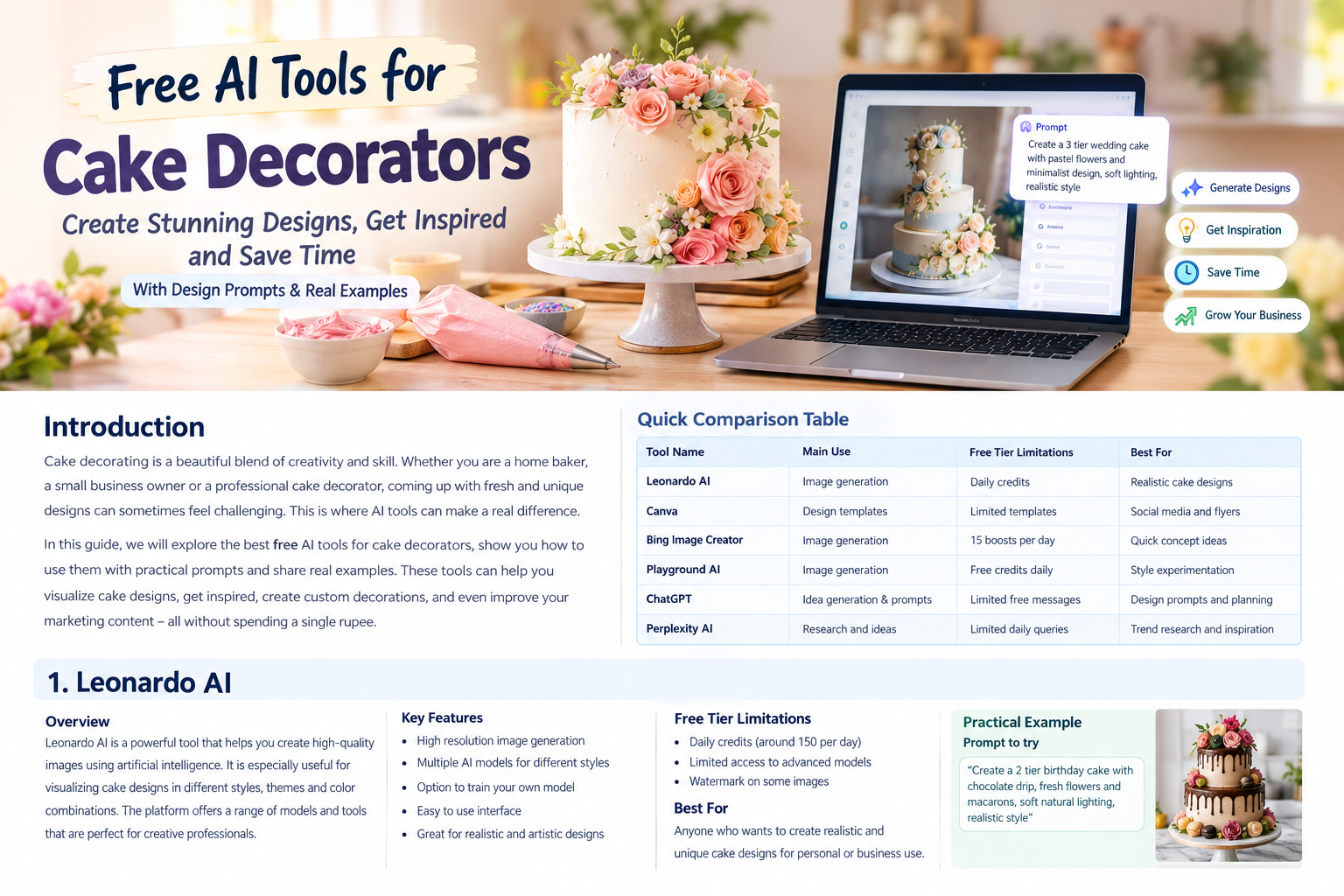
Cake decorating is a creative skill that combines imagination with patience and attention to detail. But sometimes the hardest part is not decorating the cake. It is deciding what the cake should actually look like.
You may have a customer asking for a unique wedding cake. Another customer may want a birthday cake based on a favorite color or theme. Someone else may simply ask you to create something different from the designs they have already seen online. This is where 7 Best Free AI Tools for Cake Decorators (With Design Prompts) can become useful.
AI tools can help you turn a simple idea into a visual concept before you start baking or decorating. You can experiment with colors. You can explore different cake shapes. You can create wedding cake mockups. You can test floral arrangements and even generate ideas for seasonal cakes.
The important thing to remember is that AI is not replacing the skill of a cake decorator. It is simply another creative tool. Your baking experience and decorating technique are still what turn an idea into a real cake.
In this guide we will look at seven free AI tools that cake decorators can use for inspiration and design planning. Each section includes what the tool is useful for and a practical prompt you can try.
Quick Comparison of the 7 Best Free AI Tools for Cake Decorators
| AI Tool | Best Use for Cake Decorators | Free Access | Useful For |
|---|---|---|---|
| ChatGPT | Ideas and detailed design prompts | Yes with limits | Planning cake concepts |
| Canva | Cake mockups and social media designs | Yes with limits | Marketing and presentations |
| Leonardo AI | Detailed cake visuals | Yes with daily tokens | Realistic cake concepts |
| Microsoft Designer | Quick cake images and graphics | Yes | Fast design ideas |
| Adobe Firefly | Creative cake concepts and editing | Limited free access | Professional visual ideas |
| Ideogram | Cake concepts with text and labels | Free access with limits | Posters and promotional designs |
| Playground AI | Image creation and editing | Yes with limits | Experimenting with styles |
Free usage limits can change. For example ChatGPT currently provides image creation to Free users but image generation has separate usage limits. Canva also offers a Free plan with limited AI usage.
Why Should Cake Decorators Use AI Tools?
Before getting into individual tools it is worth understanding why AI can be useful in a cake business.
Imagine that a customer sends you a message saying:
“I want a three tier wedding cake with white flowers and gold details. I want it to look elegant but not too complicated.”
You could immediately start searching through hundreds of cake pictures. Or you could use an AI tool to create several visual directions based on the customer’s description.
You can then show the customer a concept and ask what they like or dislike.
This can make the conversation much easier.
AI can also help when you are experiencing creative block. Even experienced cake decorators sometimes run out of fresh ideas. A simple prompt can give you a starting point.
You can also use AI for your social media content. A cake decorator needs more than beautiful cakes. You also need attractive posts, promotional graphics, seasonal ideas and sometimes menu visuals.
The key is to use AI as an assistant rather than depending on it completely.
1. ChatGPT
ChatGPT is useful for cake decorators because it can help with both ideas and image creation. You can describe the cake you have in mind and ask for a detailed concept. You can also ask it to improve your prompt until you get a clearer result.
ChatGPT currently allows Free users to create images. Image generation has separate usage limits from normal text conversations so free users may need to wait when they reach their image limit.
What Can Cake Decorators Use ChatGPT For?
You can use ChatGPT to create:
- Birthday cake concepts
- Wedding cake ideas
- Anniversary cake designs
- Baby shower cakes
- Kids themed cakes
- Floral cake concepts
- Minimalist cakes
- Festival cake ideas
- Cake color combinations
- Decoration ideas
- Customer specific design prompts
One of the biggest advantages is that you can continue the conversation.
Instead of creating one image and starting again you can say:
“Make the flowers smaller.”
Or:
“Change the gold decoration to silver.”
Or:
“Make this suitable for a 50th birthday.”
This makes the process feel more like working with a creative assistant.
Practical Prompt for a Wedding Cake
Try this prompt:
“Create a realistic three tier wedding cake concept for a luxury Indian wedding. Use an elegant white buttercream finish with delicate blush pink flowers and subtle gold leaf decoration. Keep the design sophisticated and achievable by a professional cake decorator. Show the complete cake from the front with soft studio lighting and a clean elegant background.”
You can then ask for variations.
For example:
“Create three different versions of this cake. Make one minimalist. Make one floral and make one more luxurious.”
Best For
ChatGPT is particularly useful when you are still developing an idea and want to think through the design before generating the final concept.
2. Canva
Canva is not just a graphic design platform. Its AI features can also help cake decorators generate visual ideas and then turn those ideas into social media posts or promotional material.
Canva currently provides AI image generation and other AI features. Its Free plan includes limited AI usage and the allowance can vary depending on the tools being used.
Canva is especially useful because you can move from generating an idea to creating something you can actually publish.
For example you could generate a cake concept and then create an Instagram post around it.
What Can Cake Decorators Use Canva For?
Canva can help with:
- Cake design inspiration
- Instagram posts
- Facebook posts
- Cake price menus
- Birthday cake promotions
- Wedding cake brochures
- Seasonal offers
- Cake catalogs
- Business cards
- Story designs
Its AI image generator can create images from text prompts and lets you refine your ideas.
Practical Prompt for a Birthday Cake
Try:
“A realistic two tier birthday cake for a young woman. Elegant white frosting with pastel pink and lavender flowers. Small pearl decorations around the bottom tier. Modern luxury bakery photography. Soft natural lighting. Clean cream background. Front three quarter view.”
After generating the image you can place it inside a Canva design.
Add your bakery name.
Add your price.
Add your contact information.
You can then turn the concept into a promotional post.
A Useful Business Idea
Suppose you are planning a Mother’s Day cake collection.
Instead of physically making five sample cakes just to photograph them you can first create five visual concepts with AI.
You can publish a “coming soon” style post or use the concepts internally to decide which designs are worth producing.
Just make it clear when an image is an AI concept rather than a photograph of a cake you have actually made.
Best For
Canva is a strong option for decorators who want to combine AI generated ideas with everyday marketing work.
3. Leonardo AI
Leonardo AI is designed around AI image generation and gives creators a wide range of controls for creating visual concepts.
The platform currently offers a Free plan with a daily token allowance. Leonardo states that Free users receive 150 tokens each day and unused free tokens do not carry over.
This makes it useful for decorators who want to experiment with multiple cake concepts without immediately paying for an AI subscription.
What Can Leonardo AI Create?
You can use it for:
- Photorealistic cakes
- Luxury wedding cakes
- Fantasy cakes
- Floral cakes
- Character inspired concepts
- Modern cakes
- Restaurant style dessert presentations
- Cake shop promotional images
The quality of the result depends heavily on your prompt.
A vague prompt such as “beautiful birthday cake” may produce something generic.
A detailed prompt gives the AI more direction.
Practical Prompt for a Three Tier Cake
Try:
“Photorealistic three tier wedding cake designed for a luxury bakery. Tall elegant proportions. Smooth ivory buttercream frosting. Fresh white roses arranged naturally between the tiers. Small edible gold leaf accents. Delicate pearl details. Clean white cake stand. Premium wedding reception setting. Warm soft lighting. Professional food photography. Highly detailed frosting texture. Realistic edible decorations.”
You can then experiment with the color palette.
For example change ivory to:
- Sage green
- Dusty blue
- Blush pink
- Champagne
- Lavender
You can also change the flowers.
Free Tier Limitations
Leonardo’s Free plan uses daily tokens. Different generation features can consume different numbers of tokens so the number of images you can make is not necessarily fixed.
This is important because you should not assume that every generation costs the same amount.
Best For
Leonardo AI is a useful choice when your main goal is creating detailed visual cake concepts.
4. Microsoft Designer
Microsoft Designer is another option for decorators who want to turn a written idea into a visual concept.
Microsoft describes Designer as an AI powered graphic design tool that can create images and designs from descriptions. Microsoft also states that Designer is free to use although a subscription may be required for people who want to create more frequently.
The simple interface makes it suitable for someone who does not have much graphic design experience.
What Can You Create?
You can generate concepts for:
- Birthday cakes
- Wedding cakes
- Cake advertisements
- Bakery posters
- Cake collection announcements
- Seasonal promotions
- Invitations
- Social media graphics
This makes Designer useful when you want to create more than just a cake image.
Practical Prompt for a Cake Advertisement
Try:
“Create a premium bakery advertisement featuring a beautiful three tier white wedding cake decorated with fresh pastel flowers and subtle gold details. Elegant luxury wedding background. Warm lighting. Sophisticated composition. Leave clean empty space at the top for promotional text.”
You can then add your own business information.
For example:
Custom Wedding Cakes
Book Your Date
Freshly Designed for Your Celebration
This is much more useful for a business than simply generating a random cake image.
One Thing to Remember
AI generated text inside images can sometimes contain spelling mistakes. Microsoft specifically notes that text generated inside Designer images may not always appear correctly.
For professional bakery marketing it is better to add important text manually in the design editor rather than depending entirely on AI generated text.
Best For
Microsoft Designer is useful when you want a quick cake concept combined with simple marketing graphics.
5. Adobe Firefly
Adobe Firefly is another useful AI platform for creative professionals.
It can generate images from text prompts and is part of Adobe’s wider creative ecosystem.
Adobe currently provides limited free access to generative AI features for users without a paid plan. The number of free generations and available models can change over time.
This makes Firefly worth trying if you want to explore more polished creative workflows.
Why Cake Decorators May Like Firefly
A cake decorator can use Firefly for:
- Cake concept development
- Background creation
- Creative food photography concepts
- Promotional visuals
- Seasonal designs
- Image editing
- Visual experiments
The biggest benefit comes when you already have an idea and want to explore different visual directions.
Practical Prompt for a Luxury Cake
Try:
“Create a premium photorealistic wedding cake concept with three elegant tiers. Use smooth ivory frosting with delicate sugar flowers in peach and white. Add subtle champagne gold decoration. The cake should look handcrafted and realistic. Place it on an elegant cake stand inside a softly lit luxury wedding venue. Professional bakery photography. Natural shadows. Detailed frosting and realistic edible decorations.”
You can then modify the prompt.
Try replacing the flowers with orchids.
Try a dark green and gold color palette.
Try a minimalist design without flowers.
The goal is not necessarily to copy the AI result exactly. Instead use it as a visual reference.
Free Tier Limitations
Adobe uses generative credits for many AI features. Free users can receive a limited number of daily generations and Adobe notes that limits and available models can change.
Therefore it is worth checking the current Firefly interface before planning a large project around the free tier.
Best For
Firefly is worth considering when you want to explore polished creative concepts and potentially combine AI generation with Adobe’s broader design tools.
6. Ideogram
Ideogram is particularly interesting when your design requires text.
Cake decorators often need promotional posters and social media graphics that contain words such as “Birthday Special” or “Wedding Cake Collection”.
AI image generators have historically struggled with text. Ideogram has built a reputation around generating images with text and typography.
Its current pricing page shows a Free plan with weekly slow credits for eligible accounts. The amount can vary and paid plans provide additional capabilities.
What Can Cake Decorators Use Ideogram For?
You can use it for:
- Bakery posters
- Cake collection announcements
- Birthday promotions
- Wedding cake advertisements
- Menu concepts
- Social media graphics
- Cake packaging ideas
- Brand inspiration
Practical Prompt for a Bakery Poster
Try:
“Create a stylish bakery promotional poster featuring a beautiful three tier wedding cake decorated with white roses and delicate gold accents. Elegant cream background. Luxury bakery photography. Add the headline ‘CUSTOM WEDDING CAKES’ in a clean elegant style. Add smaller text ‘Made for Your Special Day’. Sophisticated premium composition.”
Even with a tool that handles text well it is still a good idea to proofread every generated design.
Another Useful Prompt
For a birthday promotion:
“Create a bright premium bakery advertisement featuring a modern chocolate birthday cake with strawberry decorations and elegant cream frosting. Add the text ‘BIRTHDAY CAKES’ as the main headline. Add ‘Custom Designs Available’ underneath. Clean bakery studio setting. Professional food photography.”
This could give you an initial direction for your promotional campaign.
Best For
Ideogram can be especially useful when the design needs both a cake visual and promotional text.
7. Playground AI
Playground AI is another platform that cake decorators can experiment with for image generation and editing.
Its current Free plan offers limited image generation. Playground currently lists up to 10 images every three hours along with limited access to certain newer models. It also notes that free users may experience slower generation during busy periods.
This makes it useful for casual experimentation.
What Can You Create?
You can experiment with:
- Cake concepts
- Food photography
- Birthday cakes
- Wedding cakes
- Dessert tables
- Cake shop visuals
- Background ideas
- Different decorating styles
Practical Prompt for a Floral Cake
Try:
“Photorealistic luxury birthday cake with two tiers. Smooth pastel pink buttercream frosting. Fresh white roses and small pink flowers arranged naturally around the cake. Elegant gold details. Cake displayed on a white ceramic stand. Soft bakery studio lighting. Shallow depth of field. Premium professional food photography. Realistic frosting texture and edible decorations.”
You can create several variations and compare them.
Try one version with a dark background.
Try another with a bright bakery setting.
Try another with a wedding reception background.
The same basic idea can become several different design directions.
Free Tier Limitations
Playground’s Free plan has usage limits and some editing features are reserved for paid users. Its current documentation also notes that downloads are limited on the Free plan.
So it is best used for experimentation rather than assuming it will provide unlimited production work.
Best For
Playground AI is useful for decorators who want to experiment with different image styles and concepts.
How to Write Better AI Prompts for Cake Designs
The tool you choose is only half of the equation.
The quality of your prompt can have a major effect on the result.
A good cake prompt should explain what the cake looks like and how you want the final image presented.
Instead of writing:
“Make a wedding cake.”
Try:
“Create a photorealistic three tier wedding cake with smooth ivory buttercream frosting. Decorate the cake with white roses and small eucalyptus leaves. Add subtle gold leaf details. Keep the design elegant and realistic enough for a professional cake decorator to recreate. Place the cake on a simple white cake stand in a luxury wedding reception. Soft warm lighting. Professional bakery photography. Front three quarter view.”
The second prompt gives the AI much more information.
Include the Number of Tiers
Tell the AI whether you want:
- One tier
- Two tiers
- Three tiers
- Four tiers
This helps establish the overall structure.
Mention the Frosting
You can specify:
- Buttercream
- Fondant
- Ganache
- Cream frosting
- Textured frosting
If the cake needs to look realistic mention the texture as well.
Mention the Decorations
Be specific about:
- Flowers
- Pearls
- Gold leaf
- Chocolate
- Fruits
- Macarons
- Ribbons
- Sugar flowers
Mention the Color Palette
Instead of saying “beautiful colors” try:
“Use ivory white with blush pink and champagne gold.”
Specific colors usually give you more control over the visual direction.
Mention the Photography Style
If you want a cake that looks like a real bakery photograph you can include:
“professional food photography”
You can also mention:
- Soft natural lighting
- Studio lighting
- Warm lighting
- Shallow depth of field
- Clean background
- Close up view
5 Ready to Use Cake Design Prompts
If you are a cake decorator and want to experiment immediately here are five prompts you can adapt.
Elegant Wedding Cake
“Create a photorealistic three tier wedding cake with smooth ivory buttercream frosting. Decorate it with delicate white roses, small green leaves and subtle champagne gold details. Keep the design elegant and realistic. Place it on a simple premium cake stand inside a softly lit wedding venue. Professional bakery photography with realistic frosting texture.”
Children’s Birthday Cake
“Create a colorful two tier birthday cake for a six year old child. Use bright blue, yellow and orange decorations with playful edible stars and balloons. Make the cake cheerful and realistic with smooth buttercream frosting. Add small colorful sprinkles around the bottom tier. Professional bakery photography. Clean bright background.”
Minimalist Cake
“Create a modern minimalist single tier birthday cake with smooth white buttercream frosting. Add a small arrangement of pastel flowers on one side and a thin gold decorative line around the base. Keep the design simple elegant and realistic. Soft natural lighting. Luxury bakery photography.”
Floral Cake
“Create a photorealistic two tier floral cake with pastel pink buttercream frosting. Decorate it with realistic edible roses, small white flowers and delicate green leaves. Keep the arrangement balanced and achievable by a professional cake decorator. Place the cake on a white ceramic stand with a soft neutral background.”
Chocolate Cake
“Create a realistic premium chocolate birthday cake with dark chocolate ganache dripping naturally over the edges. Add fresh strawberries, chocolate curls and small gold accents. Show realistic chocolate texture and natural food photography lighting. Place the cake on an elegant dark cake stand in a professional bakery setting.”
How Cake Decorators Can Use AI in Their Real Business
AI becomes much more useful when you connect it to your actual workflow.
Imagine that you receive an order for a wedding cake.
The customer gives you a color palette and a few reference photos.
You can use AI to explore several design directions.
First create a basic concept.
Then change the flowers.
Then change the colors.
Then experiment with the number of tiers.
Once the customer chooses a direction you can create the real cake based on what is physically possible.
This can reduce unnecessary experimentation.
Use AI for Customer Discussions
Instead of saying:
“Yes I can make something like that.”
You can show the customer a concept and discuss specific details.
You can ask:
“Do you prefer this flower arrangement or the simpler version?”
This gives the customer something visual to respond to.
Use AI for Social Media
A cake business needs regular content.
You can use AI to create concept images for:
- Wedding season
- Valentine’s Day
- Mother’s Day
- Christmas
- New Year
- Baby showers
- Anniversaries
- Children’s birthdays
However you should clearly distinguish AI concepts from real cakes if customers could reasonably believe the image shows work you have actually produced.
Use AI for Menu Planning
You can also create visual concepts for different cake collections.
For example:
Classic Collection
Simple buttercream cakes.
Luxury Collection
Elegant tiered cakes with premium decorations.
Kids Collection
Bright themed birthday cakes.
Wedding Collection
Large custom wedding cakes.
You can use AI concepts as inspiration while developing the actual menu.
AI Cake Designs Are Inspiration Not a Replacement for Skill
There is an important difference between generating a cake image and making that cake in a real kitchen.
AI does not understand every practical limitation of cake decorating.
A generated cake may contain decorations that are difficult to make. Some structures may not be stable. Some flowers may not be edible. Some designs may require techniques or equipment you do not have.
That is why the final decision should always come from the cake decorator.
Use AI to answer:
“What could this cake look like?”
Then use your professional experience to answer:
“How can I actually make it?”
This approach gives you the best of both worlds.
How to Choose the Right AI Tool
You do not need to use all seven tools every day.
Your choice should depend on what you are trying to accomplish.
If you mainly need ideas and detailed prompts then ChatGPT can be useful.
If you want to create a cake concept and immediately turn it into a social media post then Canva may fit your workflow.
If you want detailed image generation then Leonardo AI is worth exploring.
If you want quick designs and promotional graphics then Microsoft Designer can be useful.
If you already work with Adobe products then Firefly can fit naturally into your workflow.
If your design requires prominent text then Ideogram is worth trying.
If you want to experiment with different models and image styles then Playground AI can be another option.
There is no requirement to choose one tool permanently.
You can use one tool for brainstorming and another for visual generation.
Tips for Getting Better Results
Here are some simple habits that can improve your AI generated cake concepts.
Start With a Simple Idea
Do not put everything into your first prompt.
Start with the main concept.
Then improve it through additional instructions.
Be Specific About the Cake
Mention the size, number of tiers, frosting, colors and decorations.
Tell the AI What You Want to See
If you want the entire cake visible say:
“Show the complete cake from the front.”
If you want a close up say:
“Show a close up of the frosting and floral decoration.”
Generate Multiple Variations
Do not immediately choose the first result.
Create several versions and compare the ideas.
Check the Details
Look carefully at:
- Cake proportions
- Flowers
- Candles
- Frosting
- Decorations
- Text
- Plates and stands
- Background objects
AI images can contain small visual errors.
Use Your Own Expertise
If you are an experienced decorator you already know what looks practical.
Use that knowledge to refine AI concepts.
Frequently Asked Questions
Are free AI tools useful for cake decorators?
Yes. Free AI tools can be useful for generating cake concepts and marketing ideas. Most free plans have usage limits so they are better for experimentation and planning rather than unlimited production.
Can AI create realistic cake designs?
Yes. Modern image generation tools can create highly detailed cake concepts. However the result is a visual concept and may not always represent a physically practical cake.
Can I use AI to design wedding cakes?
Absolutely. Wedding cakes are one of the most useful applications because you can experiment with tiers, flowers, colors, frosting and decorative styles before creating the physical cake.
Can I use AI generated cake images for my bakery social media?
You can use AI generated visuals depending on the platform’s terms and your intended use. Always check the current terms of the specific AI service. If the image represents a cake you have not actually made then label it appropriately so customers are not misled.
Which AI tool is easiest for beginners?
Tools such as Canva and Microsoft Designer can be approachable for beginners because they combine AI generation with simple design features. ChatGPT can also be useful if you want to develop the idea through conversation.
Can AI create a complete cake recipe?
AI can help generate recipe ideas but recipes should be checked carefully. Baking depends on ingredient ratios, oven temperature, pan size and technique. A cake decorator should verify the recipe before using it for a customer order.
Can AI copy another cake decorator’s exact design?
It is better to use AI for inspiration rather than attempting to duplicate another creator’s work exactly. You can take general inspiration from colors, shapes or themes and create your own design.
Are these AI tools completely free?
Not necessarily. Several platforms offer free access with limits. Those limits can change over time. ChatGPT has separate limits for image generation. Canva uses an AI allowance on its Free plan. Leonardo provides daily free tokens. Ideogram offers weekly slow credits for eligible free accounts. Adobe provides limited free generative access and Playground has limits on its Free plan.
Final Thoughts
The best thing about AI for cake decorators is not that it creates a cake for you.
The real advantage is that it can help you explore an idea before you spend time and ingredients making it.
You can turn a simple sentence into a visual concept. You can experiment with colors. You can test different flower arrangements. You can create wedding cake ideas for customers. You can develop seasonal collections and create promotional visuals for your bakery.
The seven tools covered in this guide each have a slightly different purpose.
ChatGPT can help you develop ideas and prompts.
Canva can connect AI concepts with everyday design and marketing.
Leonardo AI can help you explore detailed visual concepts.
Microsoft Designer can help with quick AI powered designs.
Adobe Firefly can fit well into a professional creative workflow.
Ideogram can be useful when text is an important part of the design.
Playground AI gives you another place to experiment with image creation and editing.
You do not need expensive equipment or a complicated workflow to start.
Pick one tool.
Choose one cake idea.
Write a detailed prompt.
Generate several concepts.
Then take the best idea and adapt it using your own decorating skills.
That is where AI becomes genuinely useful for a cake decorator.
It does not replace creativity.
It gives creativity somewhere to start.